Filter as you type, press Enter to open the first result6 results
Risk warning:CFDs and leveraged forex trading are high-risk products that can lose your entire capital very quickly, and are not suitable for every investor. Everything on this site is information only and is not investment advice, an offer or a recommendation. Check the rules that apply where you live and read the broker's full terms and risk disclosure before opening an account. Some links on this site are affiliate links that may earn us a commission; this does not affect our scores or rankings.
XM deposit methods: options, limits and troubleshooting | TOP10BROKERS
XM deposit methods: check options, limits and payment records
Check the deposit methods shown in your XM account, compare currencies, limits and costs, confirm permitted return routes, and keep records to help trace a missing payment.
Check payment availability and conditions for your country of residence, contracting XM entity, account, currency and payment provider. These conditions are unspecified here, and availability in Thailand is not established. Demonstration screenshots do not confirm current XM terms. Recording dates, devices and app/browser versions are unknown; current menu labels may differ.
Before you start
Have access to the intended official XM account, identify its base currency and read the selected route's current instructions. For an existing payment query, retain the original receipt and transaction reference.
What you will learn
An informed funding decision or a support query backed by payment records, without a promise of approval, account credit or arrival.
Before sending money, open the current deposit instructions in the XM account you intend to fund. Availability for your account has not been confirmed here. Check the selected route's currency, limits, costs and permitted return arrangements.
Find the methods available in your account
Start from XM's official website, sign in and select the account you intend to fund. Confirm its base currency and find the deposit instructions. Check Withdrawal separately to understand how funds could return to you.
In the XM deposits and withdrawals FAQ, XM directs users to Funding → Deposit or Funding → Withdrawal in WebTrader or the XM App. Check the options shown after you sign in. XM says you must use a payment account in your own name.
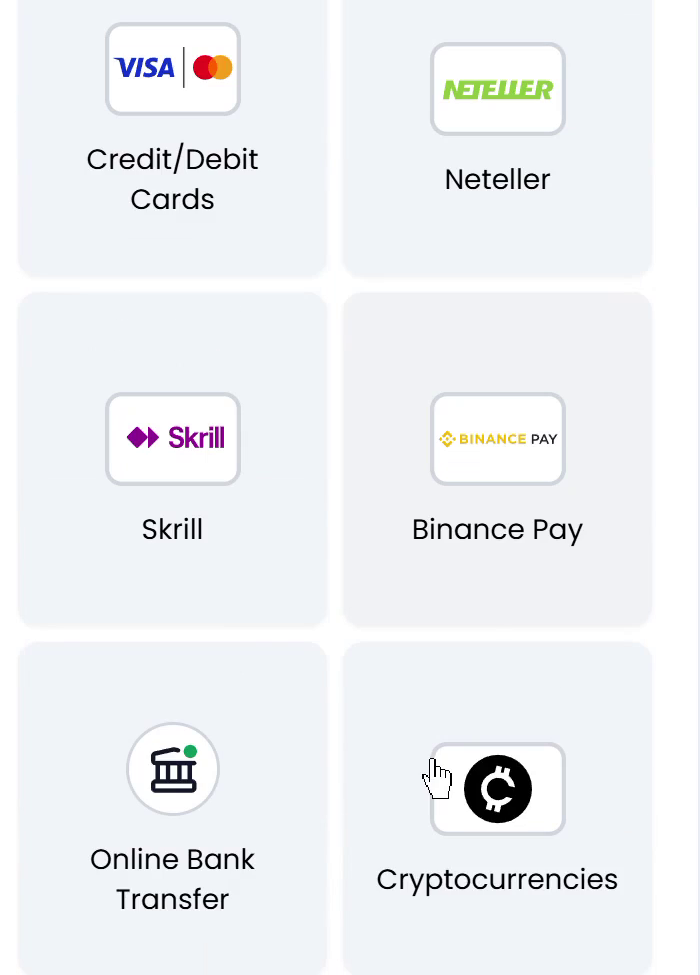
Compare whichever payment categories below appear in your official account. Check availability for your country of residence, contracting XM entity, account and payment provider.
Use the beneficiary or wallet instructions currently displayed for your selected route in your official account. Confirm the provider, required reference and permitted return destination. Details copied from a demonstration, chat message or previous payment may be outdated.
If your official account offers a digital-asset route, check the exact asset, network and destination before sending funds. A branded option in a demonstration screenshot does not confirm eligibility in a real account.
Figure 1. Demonstration payment menu. Check your signed-in XM account for its current payment options.
Check account requirements and payment-route limits separately
The XM account-types page lists a USD 5 minimum for several account plans and USD 10,000 for its Shares Account where offered. The funding FAQ also gives a USD 5 starting amount and says the payment-method minimum can differ. Check both your account-plan requirement and the selected route’s limits before paying.
Check the account requirement alongside the selected payment route's minimum and maximum. Read the currency beside each amount. If a maximum has no stated period, ask whether it applies per payment, per day or over another period. No universal maximum or applicable period is confirmed here.
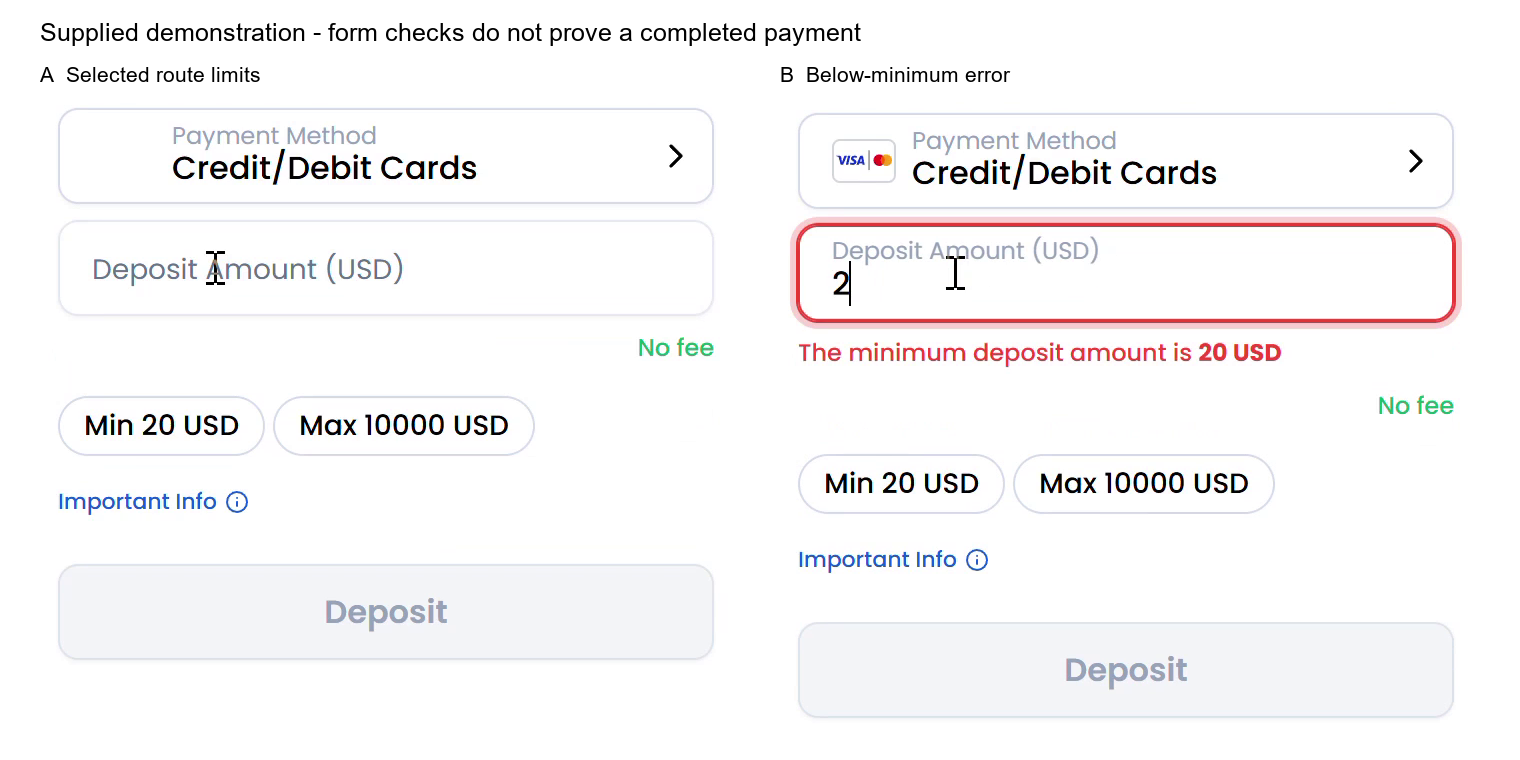
The card-form example shows USD 20–10,000 and an error when the amount entered is USD 2. Check your own card route’s current limits. Authorisation, a card debit and trading-account credit are separate stages.
Figure 2. Demonstration card form showing its minimum, maximum and below-minimum message.
If your intended amount falls outside the displayed range, ask which available route can accept it and whether provider limits also apply. Follow the applicable restrictions when deciding how much to send.
Compare payment currency, expected credit and costs
Before authorizing payment, confirm:
The payment currency accepted by the selected route.
The amount and currency your funding source will debit.
Any conversion provider, exchange-rate information and conversion charge.
The amount and currency expected in the trading account.
Any XM, sending-bank, intermediary or processor charges under the applicable terms.
XM says in its funding FAQ that WebTrader and the XM App show the exchange rate before confirmation. In your own form, compare the quoted rate and the expected credit. Check the receipt and account history for the amounts actually debited and credited.
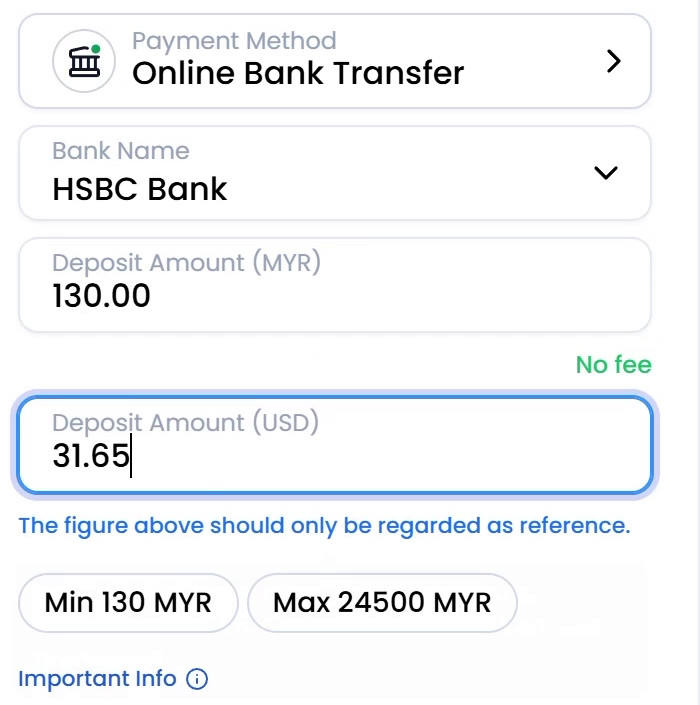
The supplied bank-transfer demonstration reportedly shows a USD-labelled account, a payment amount of 130.00 MYR and a reference amount of 31.65 USD. It also shows a minimum of 130 MYR and a maximum of 24,500 MYR, with HSBC selected as the example bank.
The 31.65 USD figure is for reference only. It does not verify the actual exchange rate, settlement amount or account credit. The MYR amounts and HSBC selection do not establish eligibility in Malaysia, Thailand or any other country.
Figure 3. Demonstration transfer form. The USD amount is marked as a reference. Check the amount and currency in your own payment instructions.
In its funding FAQ, XM says it charges no deposit or withdrawal fees. For international wires of USD 200 or more, or the currency equivalent, it says it covers fees charged by its own bank and that the policy can change. Check your bank’s, any intermediary’s and the payment provider’s charges, including currency conversion. Keep the receipt to reconcile the debit with the account credit.
Investigate a missing payment method
Check whether the method is missing from Deposit, Withdrawal or both. Ask support why it disappeared and which return destination is permitted for your account.
Explain the relevant circumstances:
If the original funding source remains open, describe where the option disappeared and ask whether the change affects new deposits, withdrawals or your particular account.
If the card has expired or been cancelled, ask XM support and the issuer whether a return payment can reach the relevant account. Confirm the underlying account's status separately.
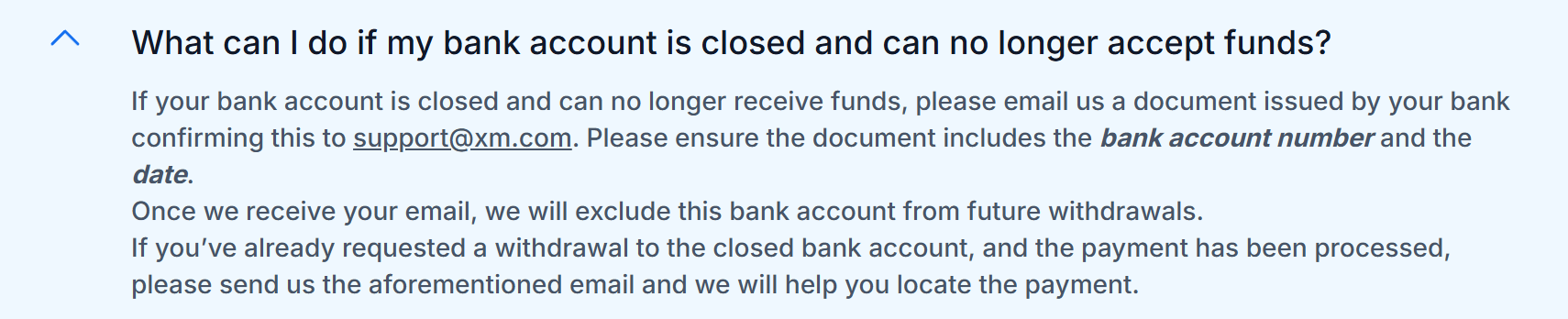
If the underlying bank account has closed, ask support what evidence is required and how to submit it securely. If funds have already been sent there, request tracing instructions.
XM’s funding FAQ describes a matching rule that generally sends the deposited amount back to the original funding source before routing additional funds. It says Bank Card Payout depends on card support. Ask XM which route applies if the original method is unavailable. For a closed bank account, the FAQ asks for confirmation issued by the bank. Verify the submission channel with XM before sharing bank documents.
Figure 4. Screenshot of XM’s closed-bank-account guidance. See the current Help Center entry for the required bank confirmation and contact instructions.
Keep the original payment date, amount, currency, transaction reference and displayed status. Add a dated screenshot showing where the method is missing. These records help support identify the payment and account condition to investigate.
Trace a payment that has not arrived
XM's support page directs readers to its Help Center and Customer Experience team. Use the official page to find current assistance. XM support
Provide the records relevant to your query:
Situation
Information to provide and request
A bank debit appears, but the trading-account credit is missing
Describe it as a deposit query. Provide the date, amount, currency and transaction reference, and keep the original receipt available. Ask what further payment evidence is needed.
A withdrawal shows a processed status, but external receipt is missing
Quote the exact displayed status. Ask for a payment or refund trace reference and the receiving institution's next tracing step.
The original method has disappeared
State whether it is missing from Deposit, Withdrawal or both. Ask which return destination is permitted and what evidence is required.
A displayed maximum is unclear
Provide the route, currency and displayed amount. Ask which period the maximum covers and whether additional provider limits apply.
A support request could read: "For transaction [reference], the original funding method no longer appears under Deposit/Withdrawal. Please confirm the permitted return route, required evidence, applicable currency and limits, and estimated timing." Replace the bracketed reference with your transaction identifier.
Reconcile the bank debit, payment approval, trading-account credit, withdrawal processing and external receipt as separate records. These distinctions help organize the investigation. XM's exact status definitions and any processing deadline still need confirmation for your account and payment route. Keep timing estimates with the support correspondence and confirm receipt through the relevant account record.
Review the details before sending funds
Confirm the route in your intended official account, including payer-ownership requirements, amount limits, payment currency, conversion terms, costs and permitted return arrangements. Save the current instructions and keep the eventual payment reference with your records.
XM Global's risk disclosure explains that leverage can make a relatively small adverse market movement lead to loss of the entire deposit. Consider that risk when deciding how much to fund. XM Global risk disclosure



 XM