Check the footer of your own Exness Personal Area for information about the company to which your account is registered. The official Exness help article directs customers there. Record the company name, locate the applicable agreement and compare the relevant regulator record.
The official guidance alone does not identify your company, contractual rights or eligibility for protection. The supplied desktop illustrations include an example labelled Exness (SC) Ltd. Your account may require different documents and checks.
Video reference
Find the company in your Personal Area
Sign in through the official Exness website. Find the footer at the bottom of your Personal Area and record the full legal company name, including its suffix. Copy any jurisdiction and identifiers together with their labels.
The supplied desktop example follows Trading > Accounts, then scrolls below the account cards and Archived accounts. This detailed route has not been independently verified, and your interface may differ. If you cannot find the footer, try scrolling the main content area rather than only the navigation panel.
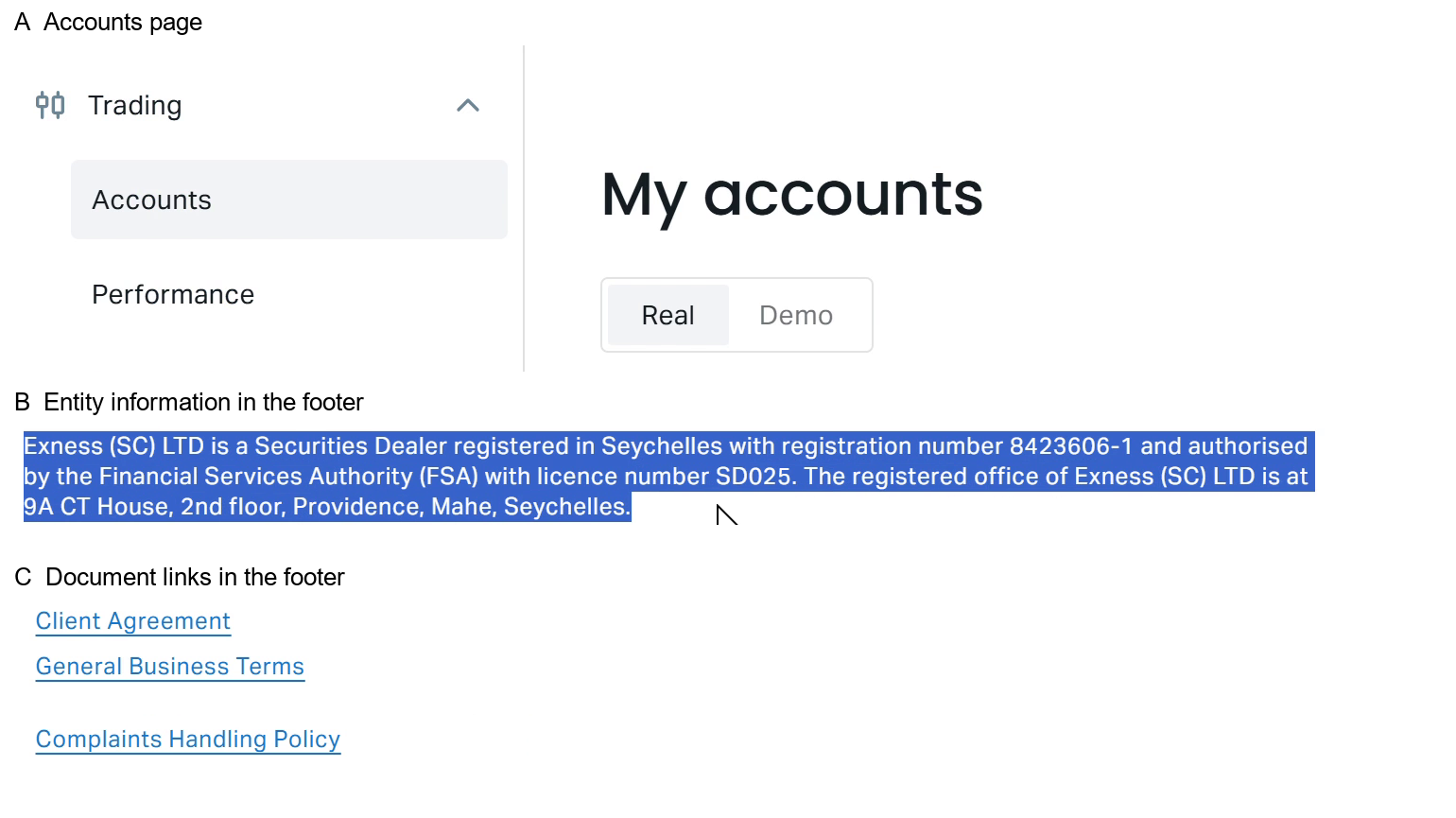
Figure 1. Supplied desktop footer example described as Exness (SC) Ltd. Capture date and screenshot contents are unverified; it does not identify your account’s contracting company.
The supplied footer illustration is described as desktop walkthrough crops labelled 00:03 and 00:11. Its contents and claimed redactions have not been independently inspected. Check for private information before sharing a copy.
Keep a private record of the company name and the date you viewed it. Treat an identifier as a licence number only if its label says so.
Locate the agreement applicable to your account
Look for the account-linked Client Agreement or legal-document links in your Personal Area. In the document, identify:
- The full name of the company defined as your counterparty.
- The document date, version and any effective-date information.
- Regional terms or appendices relevant to your relationship.
- Notices explaining a change of company or terms.
If several documents are available, ask official support which agreement governs your account. A public PDF alone does not show which version you accepted or which company holds your account.
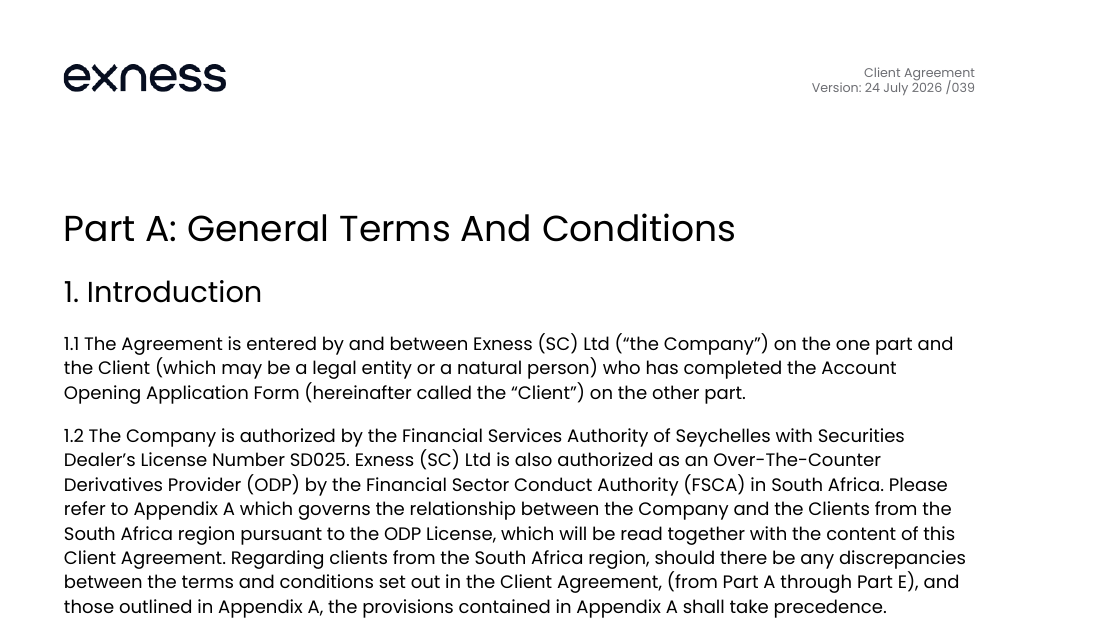
Figure 2. Supplied agreement excerpt labelled 24 July 2026 /039. Capture date, contents and version are unverified; applicability to your account remains unconfirmed.
The supplied SC agreement illustration carries the label 24 July 2026 /039. Its contents and version have not been independently verified. You can inspect the public SC Client Agreement PDF, but its current version and applicability to your account remain unconfirmed.
If the footer and agreement name different companies, record both names exactly and request written clarification before relying on either.
Use public pages as references
A public company listing can help you locate documents, but it cannot identify your individual account's counterparty. Begin with the company recorded in your Personal Area and agreement.
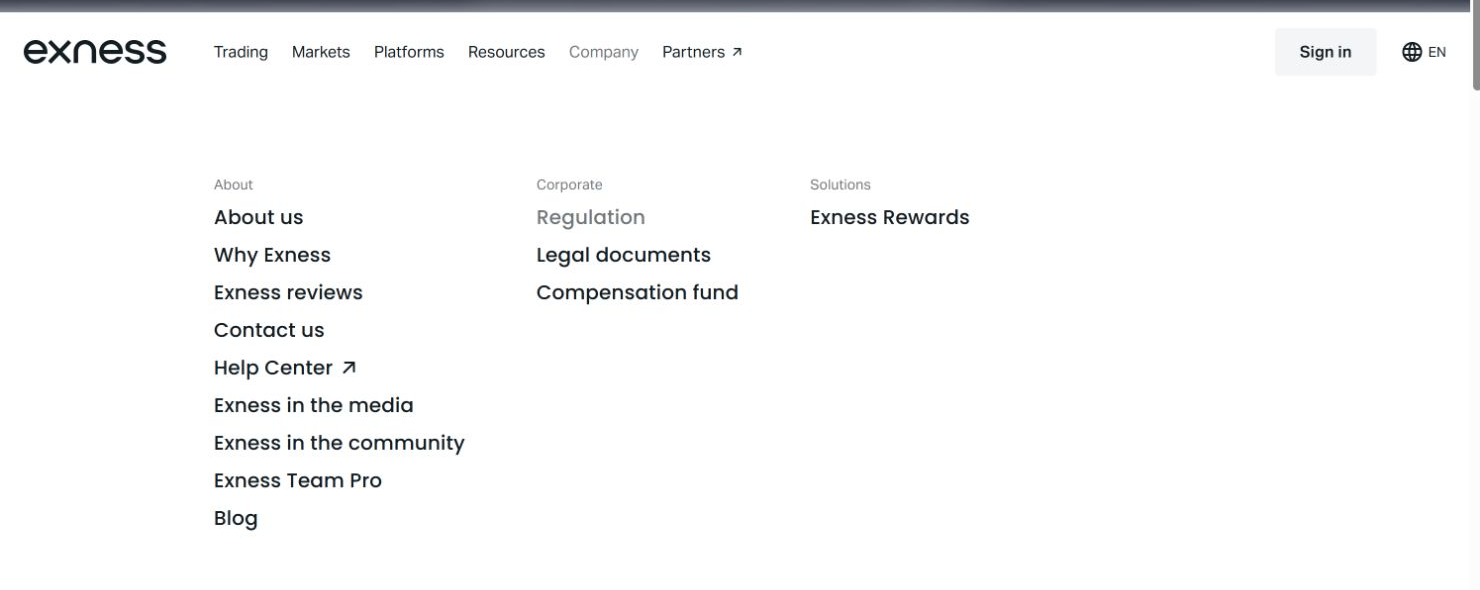
Figure 3. Supplied desktop menu example; capture date and contents are unverified. Navigation may differ by device and website version.
The supplied desktop menu illustration has not been independently inspected. Its menu contents and navigation may differ from the website you see.
You can also consult the Exness Legal documents page, whose current contents remain unverified here. If it groups documents by company, select the full name matching your account records.
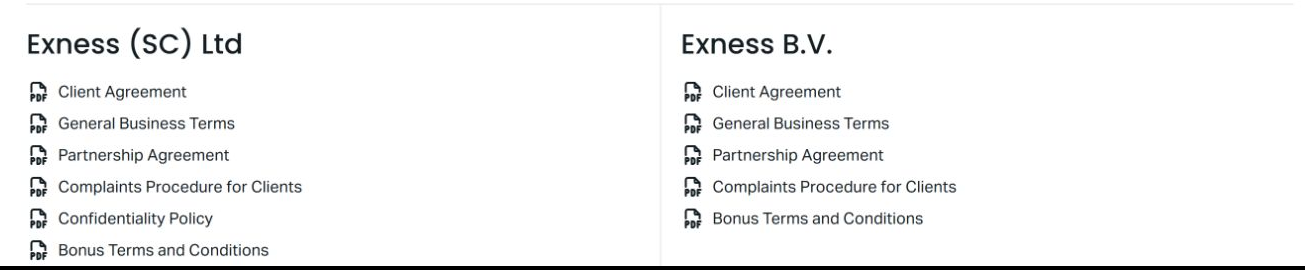
Figure 4. Supplied legal-document selection example; capture date and contents are unverified. Public document groups do not establish your account’s company or applicable agreement.
The supplied document-selection illustration is unverified. Use your own account-linked documents to identify the company and agreement you need to check.
The Exness Regulation page is another reference whose current contents remain unverified here. A company or authorisation appearing on a public page does not establish that it applies to your account.
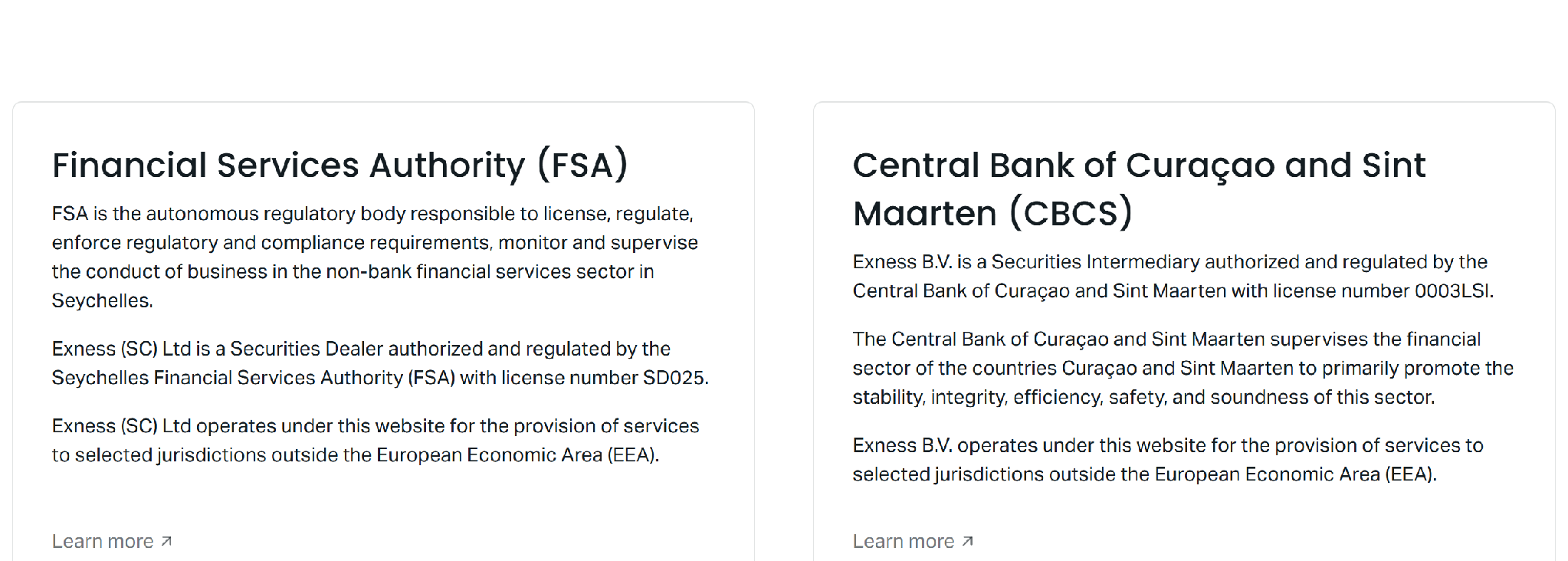
Figure 5. Supplied historical regulation-page screenshot labelled 25 October 2026. The date and contents are unverified; it does not establish current authorisations or your account allocation.
The supplied public-company illustration carries a 25 October 2026 date label. Neither its contents nor that label has been independently verified. It does not establish current authorisations or your account allocation.
Compare the same fields across records
After locating your company and agreement, enter the information each source displays in the worksheet. Leave entries blank until you check them. If a source does not display a field, record "not displayed."
| Field | Personal Area | Applicable agreement | Regulator record | Unresolved difference |
|---|
| Full legal name | | | | |
| Jurisdiction | | | | |
| Identifier type and value | | | | |
| Registered address | | | | |
| Activity or category | | | | |
| Displayed status | | | | |
| Document or access date | | | | |
Company registration numbers and regulatory authorisations are different fields. Keep each source's wording and labels. Do not treat every number as a licence, substitute an FSP label for an ODP label or transfer an identifier from one company to another.
A blank field does not establish a mismatch. Differently labelled fields may need clarification before you can compare them.
Inspect the relevant official register
Choose the register using the company and jurisdiction in your account documents. Search for the exact legal name, then open the full entry where available. A brand-name search result still requires further checking.
Compare only fields the register displays. Record the access date, retain the source link and distinguish the register's wording from descriptions on a broker's website.
Distinguish a company profile from a licence field
A company profile may display a name or business category without a licence number. Do not fill a missing licence field from memory or an unrelated company's record.
You can inspect the Seychelles FSA profile reference, which has not been independently verified here.
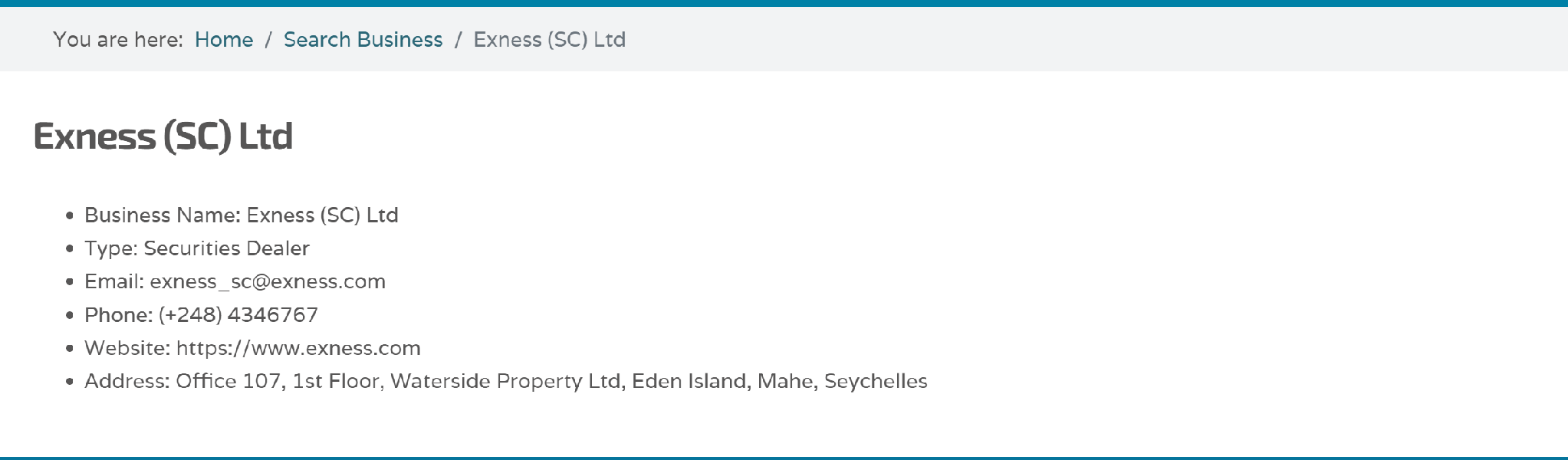
Figure 6. Supplied historical FSA profile screenshot labelled 25 October 2026. The date and contents are unverified; it does not confirm current licence fields or status.
The supplied register illustration is labelled 25 October 2026. Its contents are unverified and cannot confirm which identifiers, categories or addresses the current record displays.
Read beyond the search-result heading
If a search offers an expandable result or detailed entry, inspect it before recording the company, category or status. Do not infer a licence number from a result that does not display one.
The CBCS supervised-institutions search is an unverified reference you can inspect.
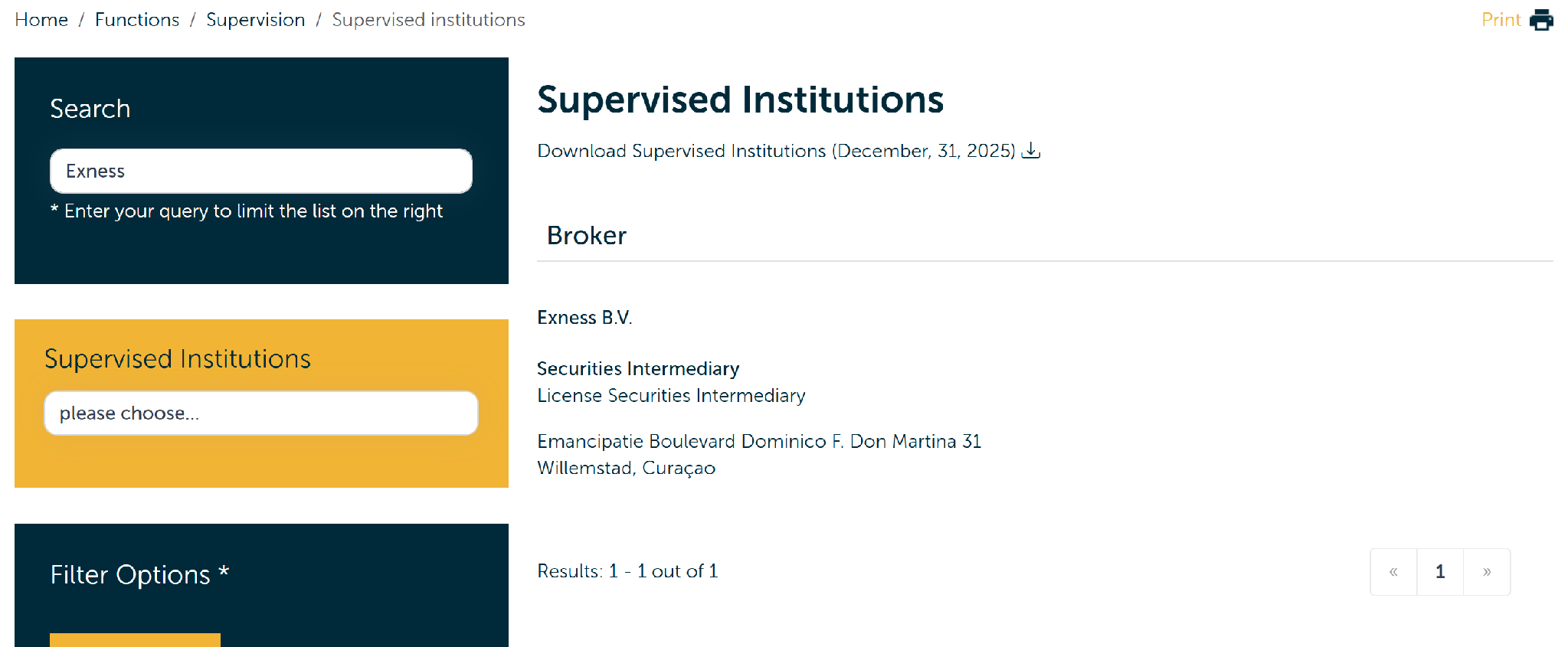
Figure 7. Supplied historical CBCS search screenshot labelled 25 October 2026. The date, contents and claimed live corroboration are unverified; current status remains unconfirmed.
The supplied search illustration carries a 25 October 2026 date label. Its contents and any claimed live corroboration have not been independently verified. It does not establish present status.
Copy the register's legal name exactly. If punctuation, suffixes or wording differ from your agreement, record the difference and seek clarification before treating the names as the same company.
You can inspect the Kenya CMA search reference, whose current results remain unverified here.

Figure 8. Supplied historical CMA search screenshot labelled 25 October 2026. The date, company details and identifiers are unverified; no current register confirmation is established.
The supplied register illustration is labelled 25 October 2026. Its company name, identifiers and other contents have not been independently verified.
Keep the licensee name, identifier and displayed status in separate fields. Retain the original label for any number beside a company name, and do not present a historical status as current.
The Belize FSC website is an unverified starting reference. Locate the relevant register and search using the legal name from your own documents.
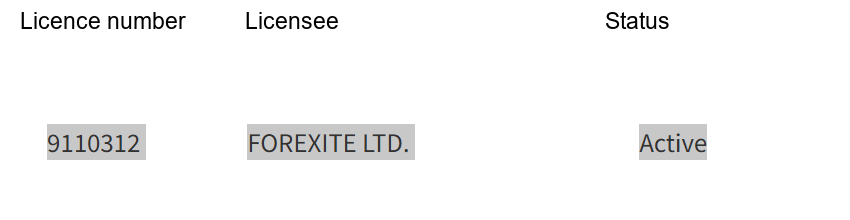
Figure 9. Supplied historical Belize FSC register crops labelled 25 October 2026. The date and contents are unverified; they do not establish a connection to your Exness account or current licence status.
The supplied register illustration carries a 25 October 2026 date label. Its contents, including any licensee, identifier or status, have not been independently verified.
Check the company and regulatory role together
For an FSP record, compare the named company, identifier, displayed status and relevant permissions with your documents. Keep any separately described ODP authorisation distinct. Do not use one company's record to establish another company's role or your contractual relationship.
You can inspect the FSCA FSP search, which remains unverified here.
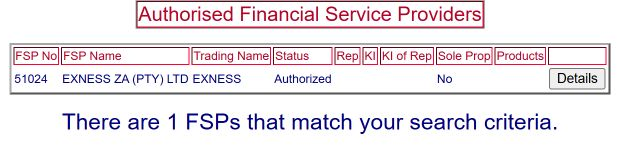
Figure 10. Supplied FSP search screenshot with no capture timestamp. Its contents are unverified and do not establish current authorisation or your account’s contracting company.
The supplied FSP-search illustration has no supplied capture timestamp. Its contents have not been independently verified and do not establish current authorisation or your account's contracting company.
Identify the protection and complaint terms that apply
Once you have identified the relevant company, use its applicable agreement and policies to answer these questions. The supplied evidence does not provide account-specific answers.
- Which company receives and handles complaints?
- How must you submit a complaint, and what supporting information is required?
- Is escalation available, and to whom?
- What submission, response or escalation deadlines apply?
- Which client-money provisions govern the relationship?
- Which governing-law and dispute-resolution provisions apply?
- Does any compensation arrangement cover this company and your relationship? If so, what eligibility conditions, triggering events, limits and exclusions apply?
Ask for the relevant document and clause when an answer is unclear. Regulatory registration alone does not establish an individual entitlement to compensation or a particular complaint remedy.
If the footer, agreement and register differ, record the exact conflicting fields and the dates associated with each source. Keep copies privately so that support can address the question using identifiable records.
A supplied historical report mentions a Seychelles address difference, but the underlying records are unavailable to confirm it. If your own records show different addresses, preserve both and ask for clarification without assuming a cause.
If you cannot find a document or register entry:
- Recheck the complete legal name and jurisdiction in your account documents.
- Use the relevant official website's search or register navigation if a saved link fails.
- Record what you could not locate and the date of the attempt.
- Ask official support to identify the applicable document or record in writing.
An unavailable link or unsuccessful search does not by itself establish wrongdoing.
You can send this request through an official support channel available in your Personal Area:
Please confirm the full legal name of my contracting company, its jurisdiction, the relevant regulator, and each regulatory identifier with its type. Please also identify the Client Agreement version and complaint policy applicable to my account, and explain the following differences between my records: [list the exact fields, source dates and conflicting values].
Keep account numbers, balances and identity documents out of public posts. Provide sensitive information only through an appropriate official channel when needed.
Keep a documented result
Before relying on a regulatory claim, check that you have:
- Recorded the company shown in your own Personal Area.
- Located the applicable agreement or requested confirmation of it.
- Compared the available regulator fields without substituting identifier types or companies.
- Recorded missing information, conflicting fields and source dates.
- Located the relevant protection and complaint terms or requested written clarification.
The official evidence supports Exness's direction to check the Personal Area footer. It does not establish your company, current register status, applicable agreement or protection eligibility. Keep your comparison together with any questions still awaiting answers.




 Exness

