


 IC Markets
IC Markets becoming IC does not establish that Thai bank deposits or PromptPay have been discontinued for all accounts. On 3 October 2026, IC's public funding page still listed Thai Internet Banking, with USD as the accepted currency and an approximate processing time of 15–30 minutes. It did not list PromptPay QR by name. Before sending money, check the choices and payment instructions for your trading account in IC's Secure Client Area.
IC announced its change from IC Markets to IC in July 2026. The announcement said nothing about Thai deposit methods, so it does not explain a missing option in any particular account.
What the Thai user's screenshot shows
In a Pantip post from 28 September 2026, one user said they had previously deposited through SCB and could no longer see the Thai bank or PromptPay QR option they expected. Their screenshot shows broad tiles labelled Bank Transfers and Local Payment Methods, each marked “up to 2 business days”. It does not show the methods inside either tile. The screenshot cannot establish whether PromptPay is offered within one of those categories, let alone what other accounts show.
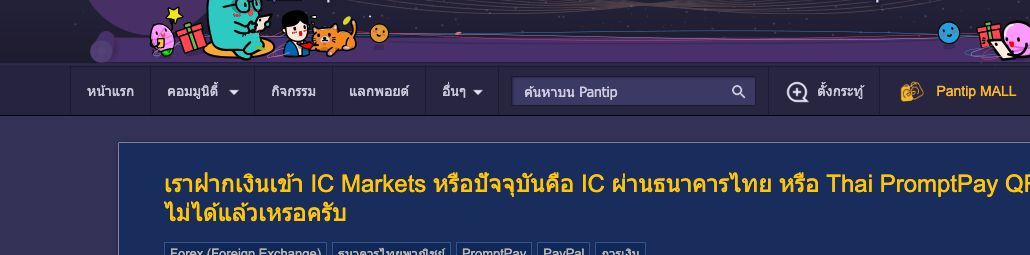
The original Pantip question. This is one user's account experience, not an IC notice about all Thai customers.
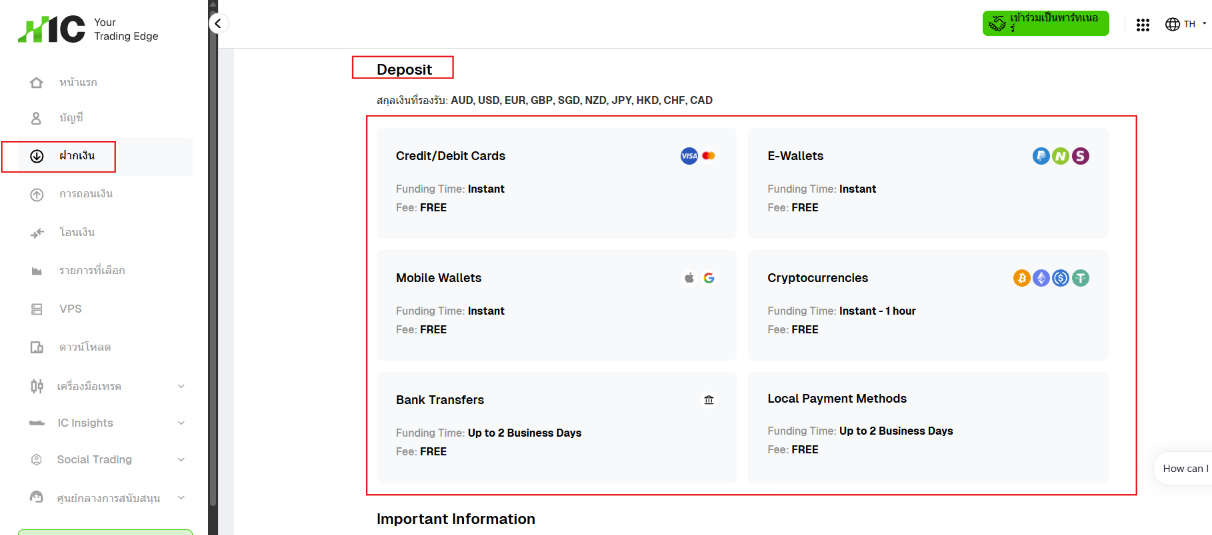
The deposit screen attached to the same post shows payment categories, but not the choices inside them.
Check the method offered to your account
- Sign in through IC's official website or your existing client login. Select the live trading account you intend to fund, then open Deposit. Check the account number and currency before choosing a payment tile.
- Open Bank Transfers and Local Payment Methods if they appear. Read the specific method name, supported currency, recipient details, fees and processing estimate shown at the next step. Do not treat the tile's broad label as a promise of a Thai bank transfer or PromptPay QR.
- If Thai Internet Banking or PromptPay is absent, ask IC support through the Client Area which method is currently available to that account. Mention the account's registered country, contracting entity, currency and the date you checked. Share an account number or screenshot only in IC's private support channel, with unrelated details hidden.
- If you have already paid, check the transaction history and trading account balance. Keep the bank receipt, amount, time and transaction reference so IC can trace that particular payment. Do not send a second transfer to an old bank account or reuse an old QR code while the first payment is unresolved.
The public 15–30 minute estimate applies to the listed Thai Internet Banking method. The “up to 2 business days” text in the Pantip screenshot describes broad categories on that user's screen. Neither tells you how a PromptPay payment would be handled in your account. Read the final instructions before paying.
CFDs are leveraged products and can cause substantial losses. A convenient deposit method does not make trading less risky.